Balancing financial and emotional needs when preparing for retirement.
CONTEXT





PROJECT BACKGROUND
Retirement planning can be overwhelming
Currently, there many Americans are inadequately prepared and informed about retirement planning; our clients recognized this gap and saw an opportunity to help people get more clarity about their monetary needs for retirement. We narrowed our scope to focus on helping people who are 15-20 years away from retirement by helping them find balance between preparing both financially and emotionally towards this next big phase of their lives.
MY ROLE
Experience designer + project manager
I led the team in creating a 0-1 product that would meet our users' needs and satisfy client objectives. My responsibilities were to ensure that we had a solid product vision, consistent alignment with stakeholders, and a flexible design environment, which gave our team the room to exercise our design skills in creating Remagine.
FEATURE 01
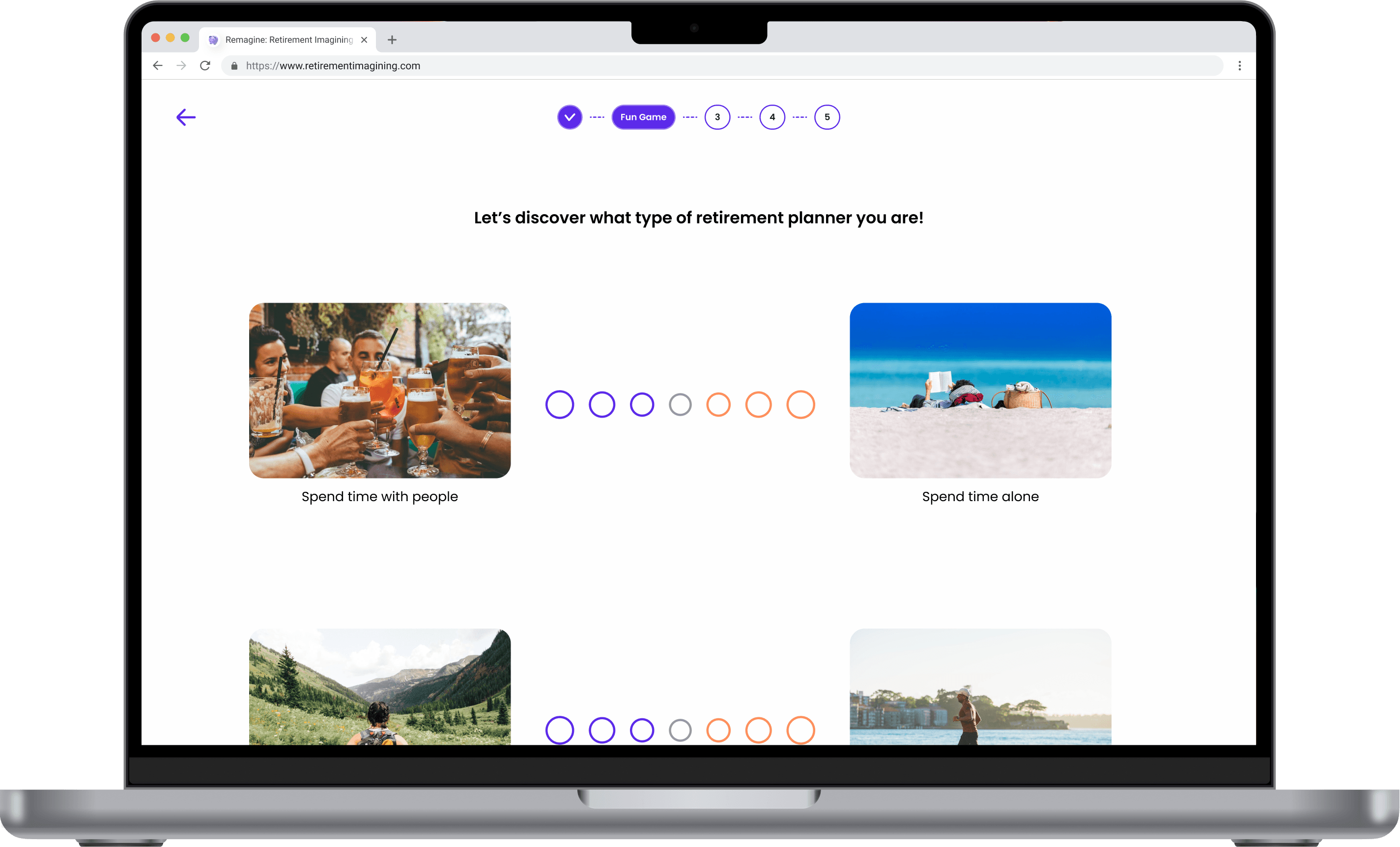
Onboarding questions
Demystify the complexities of retirement planning through a series of personalized onboarding questions.
FEATURE 02
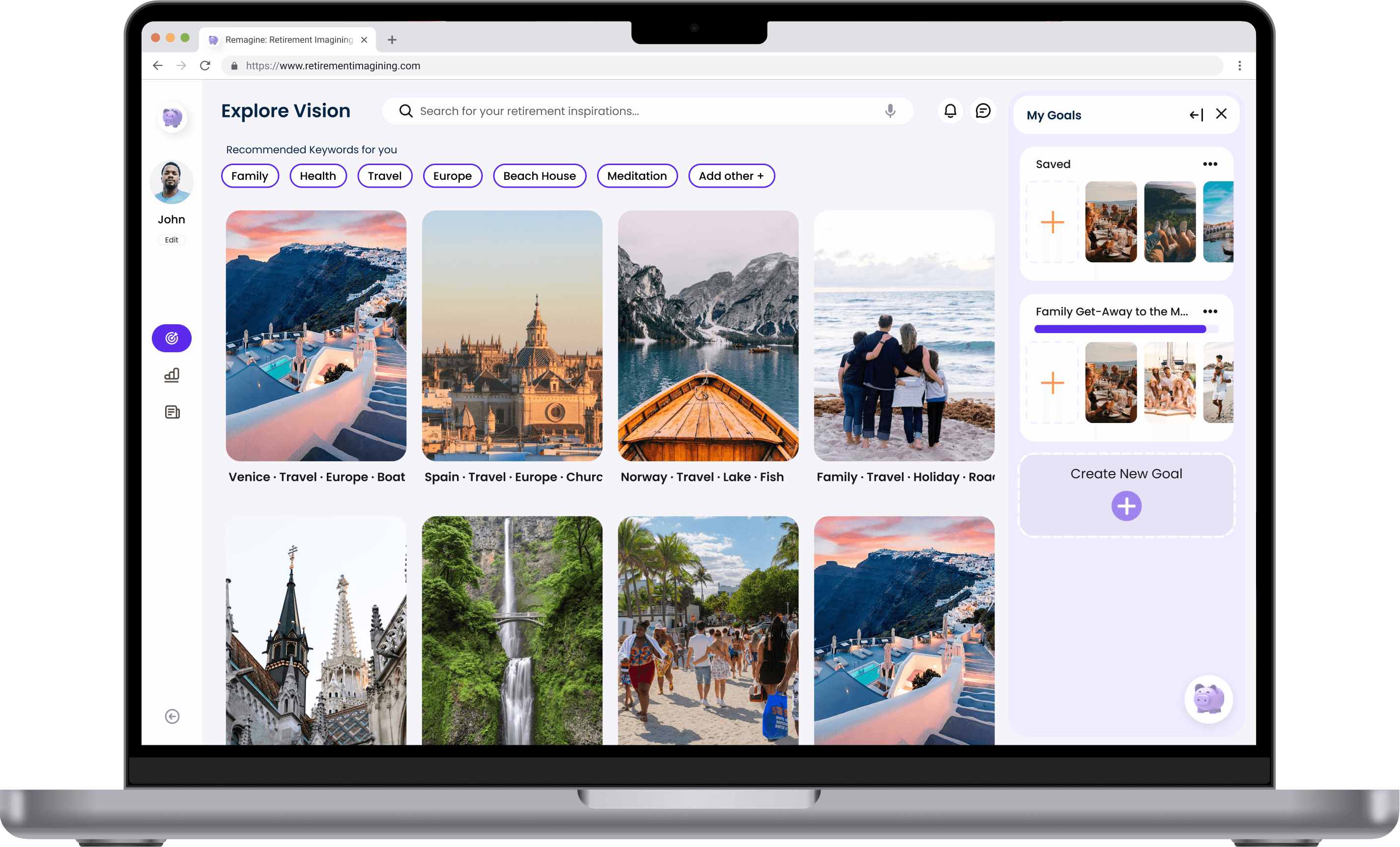
Vision building
Get inspired: contextualize your vision by exploring and saving images that reflect your idea of a successful retirement.
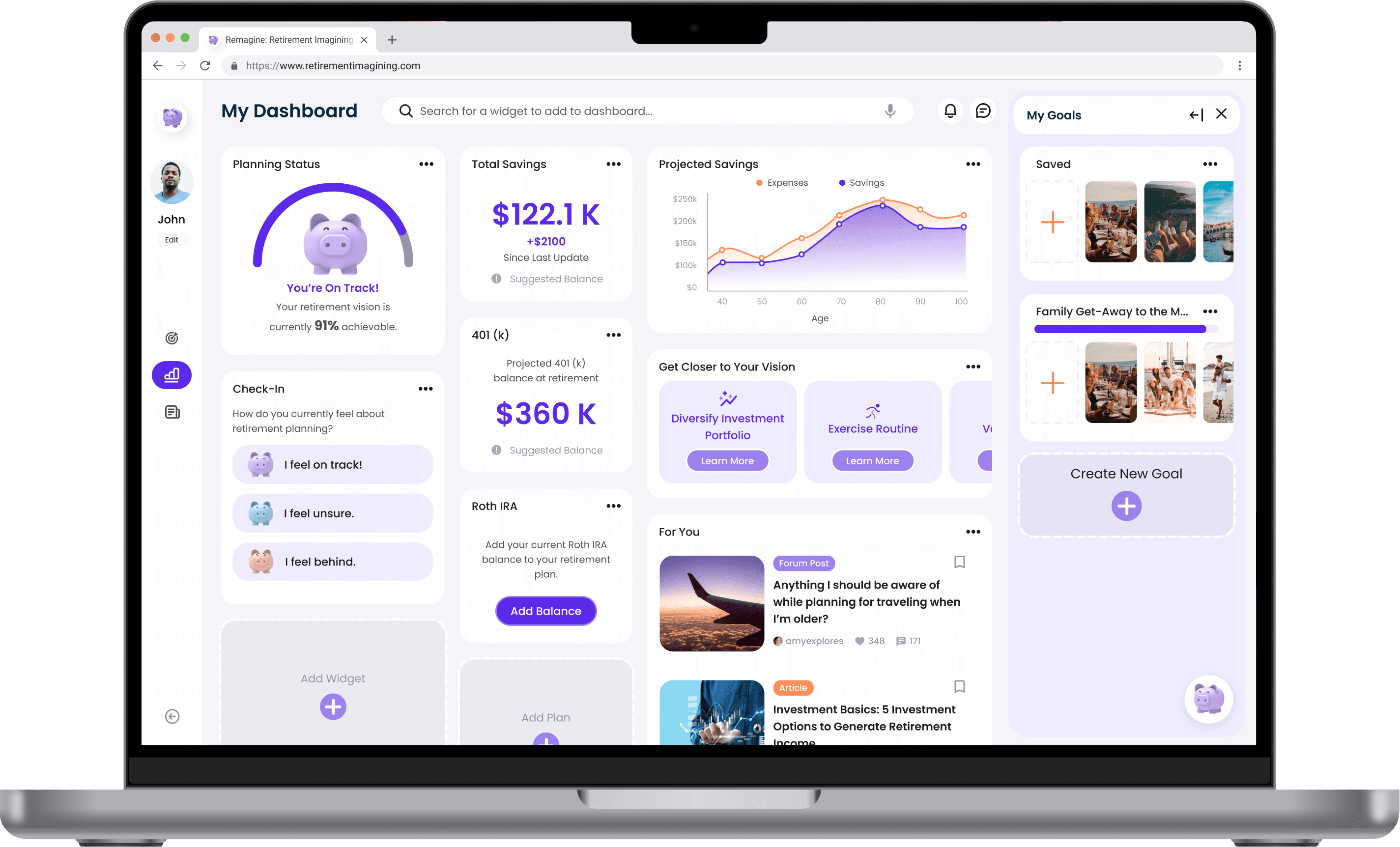
FEATURE 03
Progress tracking
Visualize your progress towards accomplishing and meeting your retirement goals.
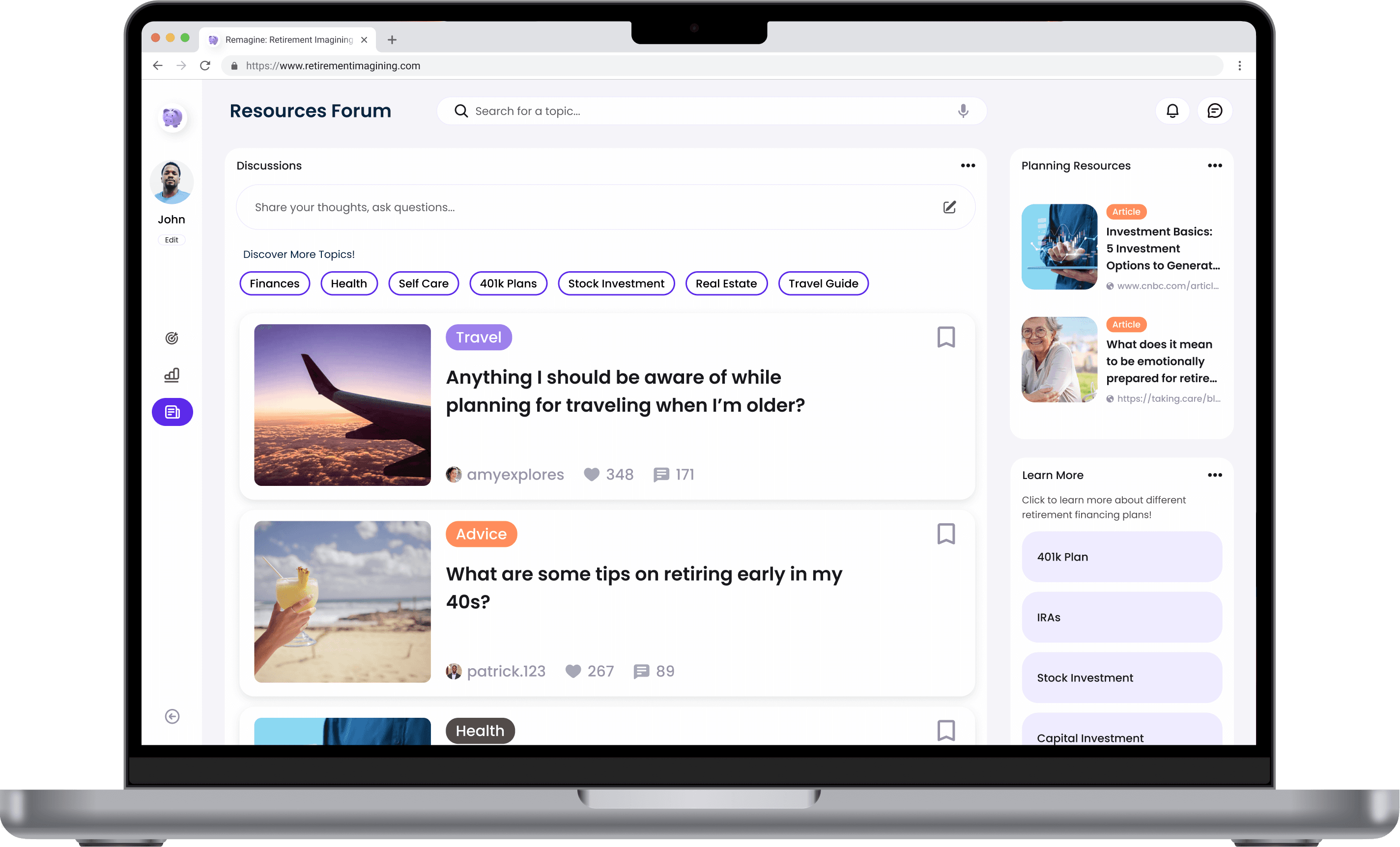
FEATURE 04
Resources forum
Browse the resource forum to find answers to your questions, discovering new ideas.
Design process
[1] Discover
Overview
Research
Target users
[2] Define
Framing the problem
Narrowing our scope
[3] Ideate
Rapid idea generation
User flow
Sketches
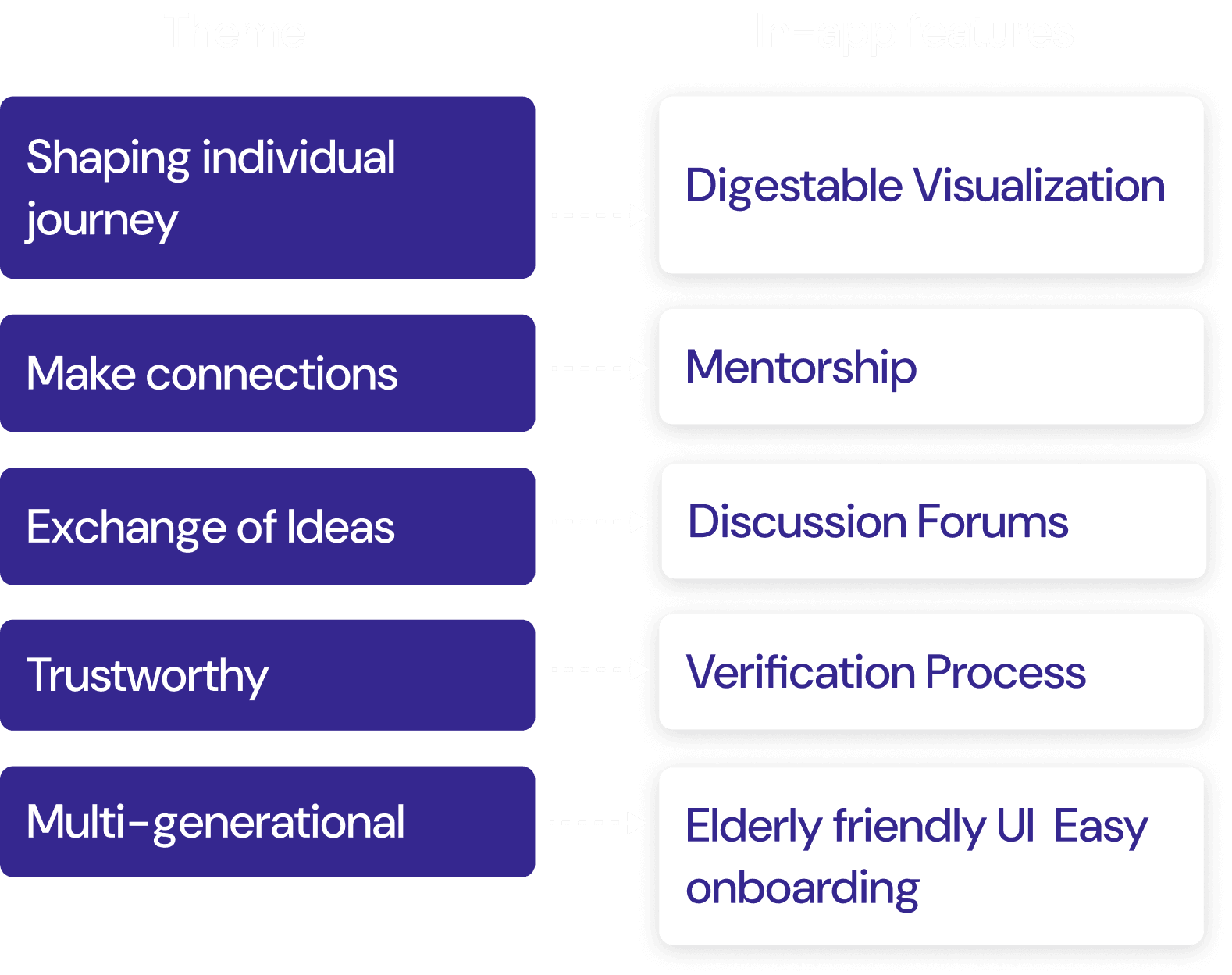
Core features
[4] Design
Think-aloud testing
Design pivot
Prototyping
[5] Refine
User testing
Iterative design
UI Exploration
[6] Deliver
Prototyping
Usability testing
Final solution
OVERVIEW
Financial-readiness ≠ Retirement-readiness
Our clients approached our team with the challenge of addressing the problem of inadequate retirement preparation among Americans. As financial professionals, they understood the importance of being financially prepared for retirement and saw an opportunity to help people better understand their monetary needs for retirement. Our goal was to gain a solid understanding of this area and identify a target user group to anchor our project.
RESEARCH
Understanding the problem space
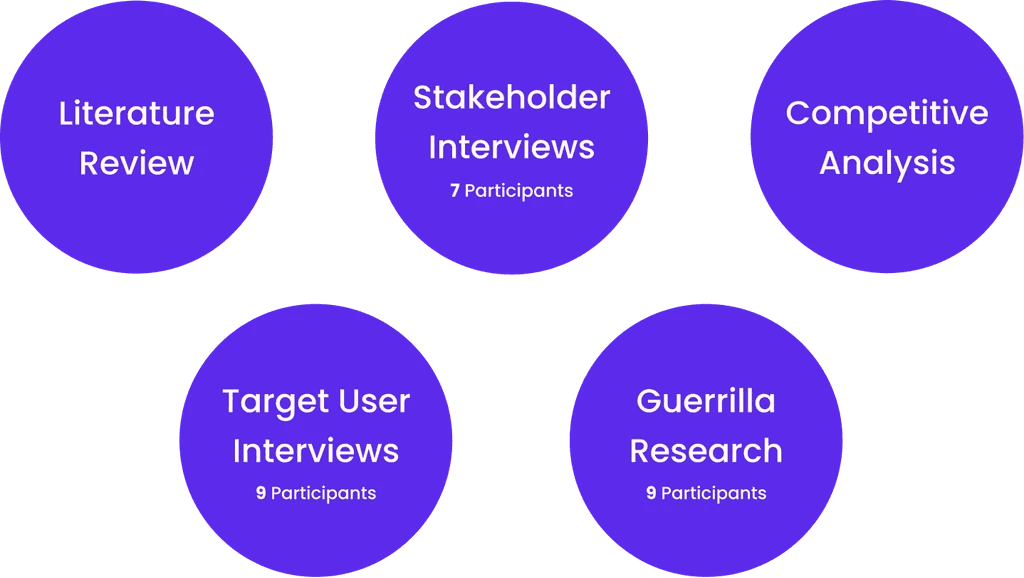
We conducted 5 research methods, primary and secondary, to learn more about the problem space. From talking to over 20 individuals with different backgrounds and experiences, we learned that the lack of retirement preparedness is a behavior change problem, and we identified this an area of opportunity we could dive into during the Design Phase.



TARGET USERS
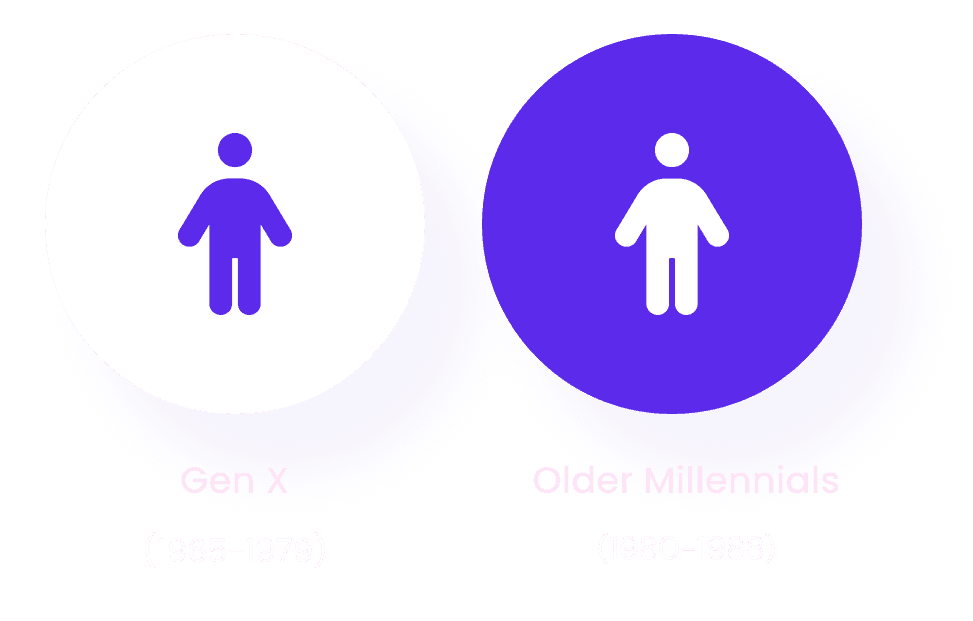
Gen-x and older millennials.
We pinpointed our target users to those who were 15-20 years away from retirement: they have the financial means to begin saving early and have experienced major life events, which can help them make informed decisions.
FRAMING THE PROBLEM
Focusing on a sub-domain.
During our research phase, we made the key discovery that current retirement planning is heavily dominated by finances, overshadowing other factors that contribute to retirement. Our focus shifted towards how can we help people approaching retirement find fulfilling and purposeful ways to spend their time.
Narrowing our scope
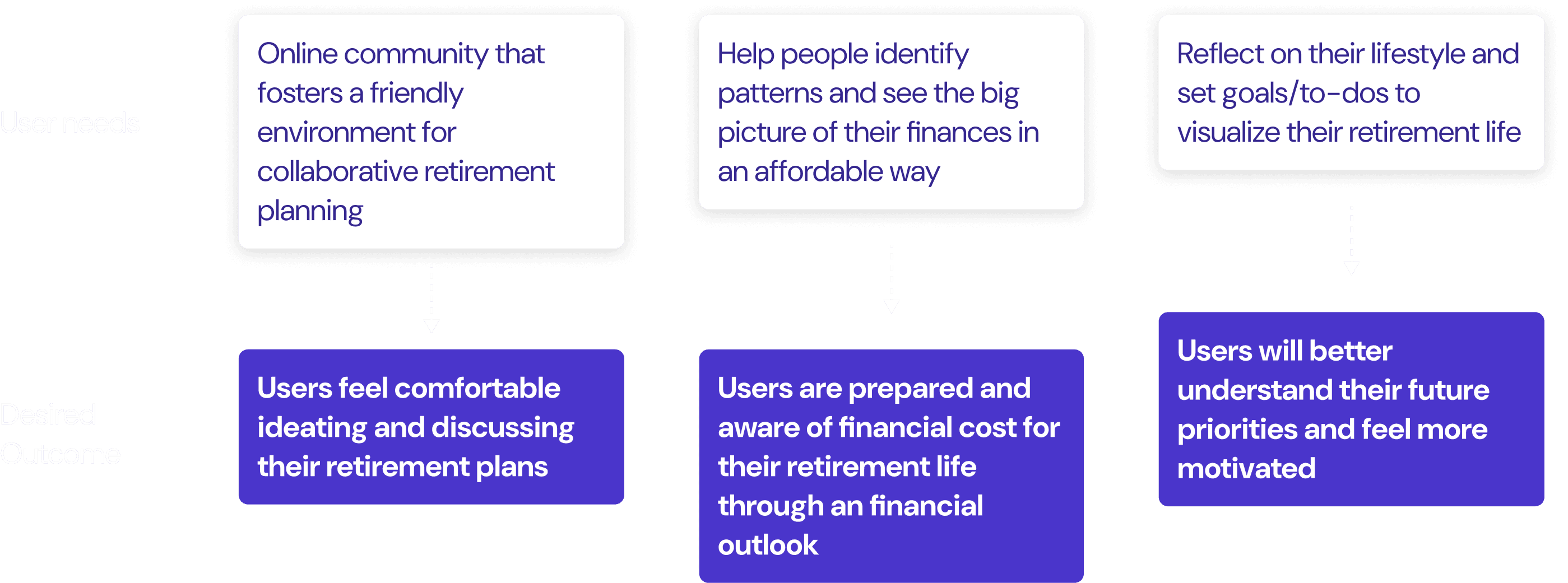
Uncovering user needs
We used abstraction laddering to explore the challenge, "How might we help people 15-20 years from retirement think about how to spend their time meaningfully?" to uncover overlooked concerns and perspectives. The reverse assumptions activity provided a fresh, subjective view of retirement planning. Ultimately, we were able to narrow down the scope of this project and identified 3 key user needs to help us move forward with a better direction.



RAPID IDEA GENERATION
Storyboarding
We first facilitated a whiteboarding session to brainstorm solutions. Then, in our storyboards, we envisioned a personable onboarding process, a mentorship feature and discussion forums, and a data visualization to visualize goals and progress.
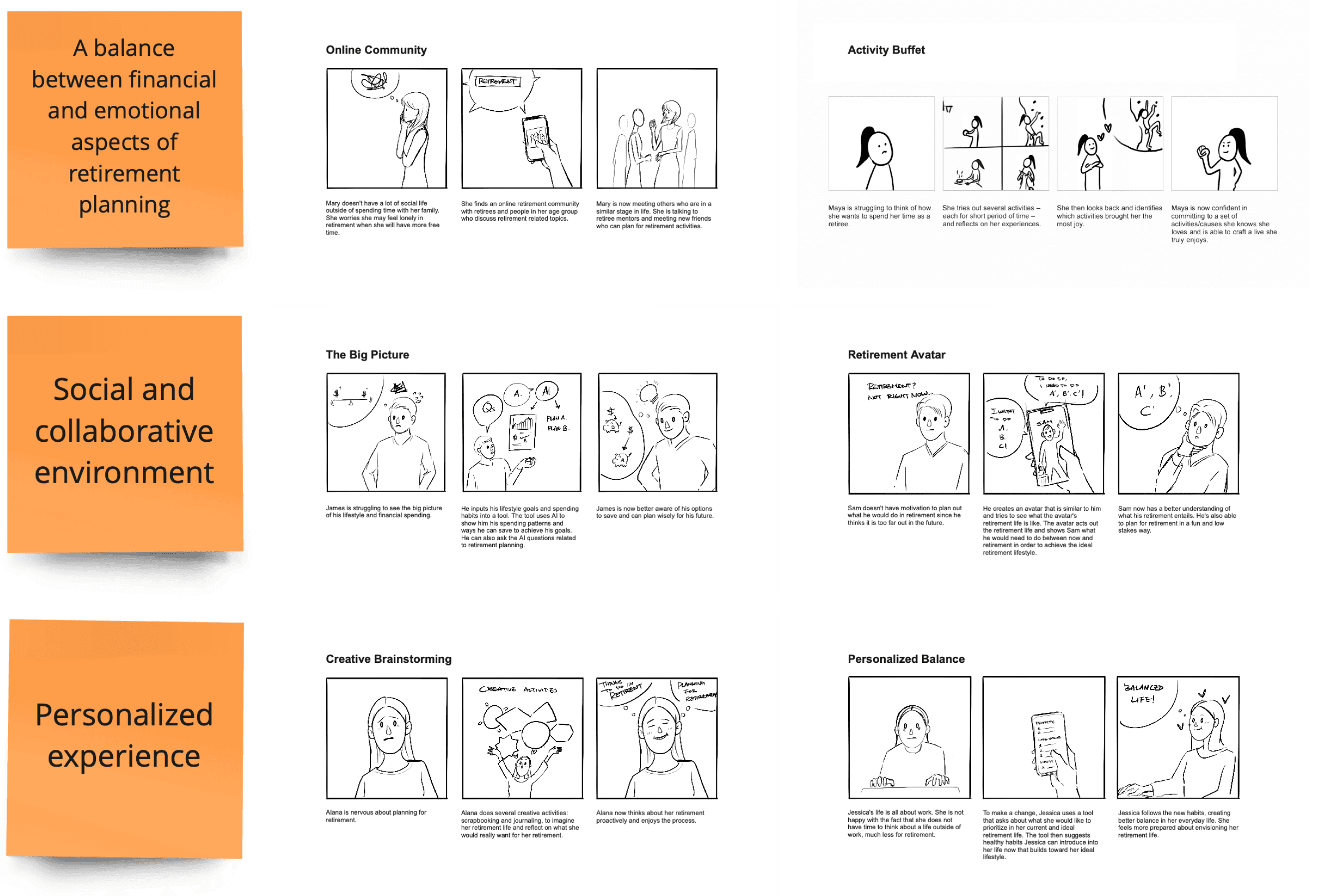
VALIDATE CONCEPT
People valued guidance and social collaboration in the planning process.
From speed dating with 5 target user group participants, we found that people gravitated towards a collaborative but still highly personalized experience. Participants found it difficult to plan for this vast phase of life, but saw value in having a community where they could sought out advice and having a tool to help them structure and ground their goals with finances.
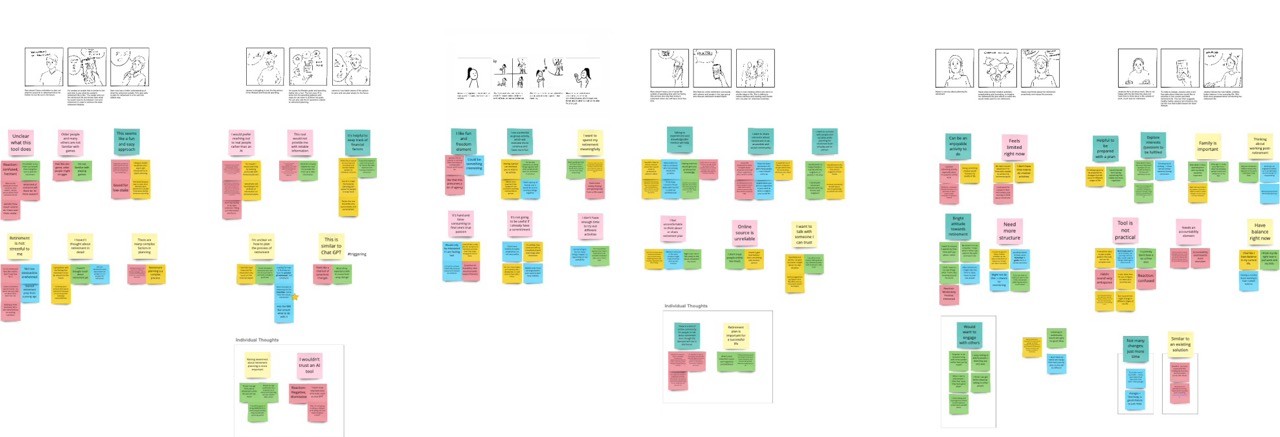
SPEED-DATING INSIGHTS
People want to define their idea of retirement.
People prioritized personalization and guidance when planning for retirement. They felt that planning for the next phase of life is difficult and filled with ambiguity, desiring to have some structure to help them structure their plans. Additionally, they wanted to communicate with people who they can trust to inform their own ideas for retirement.
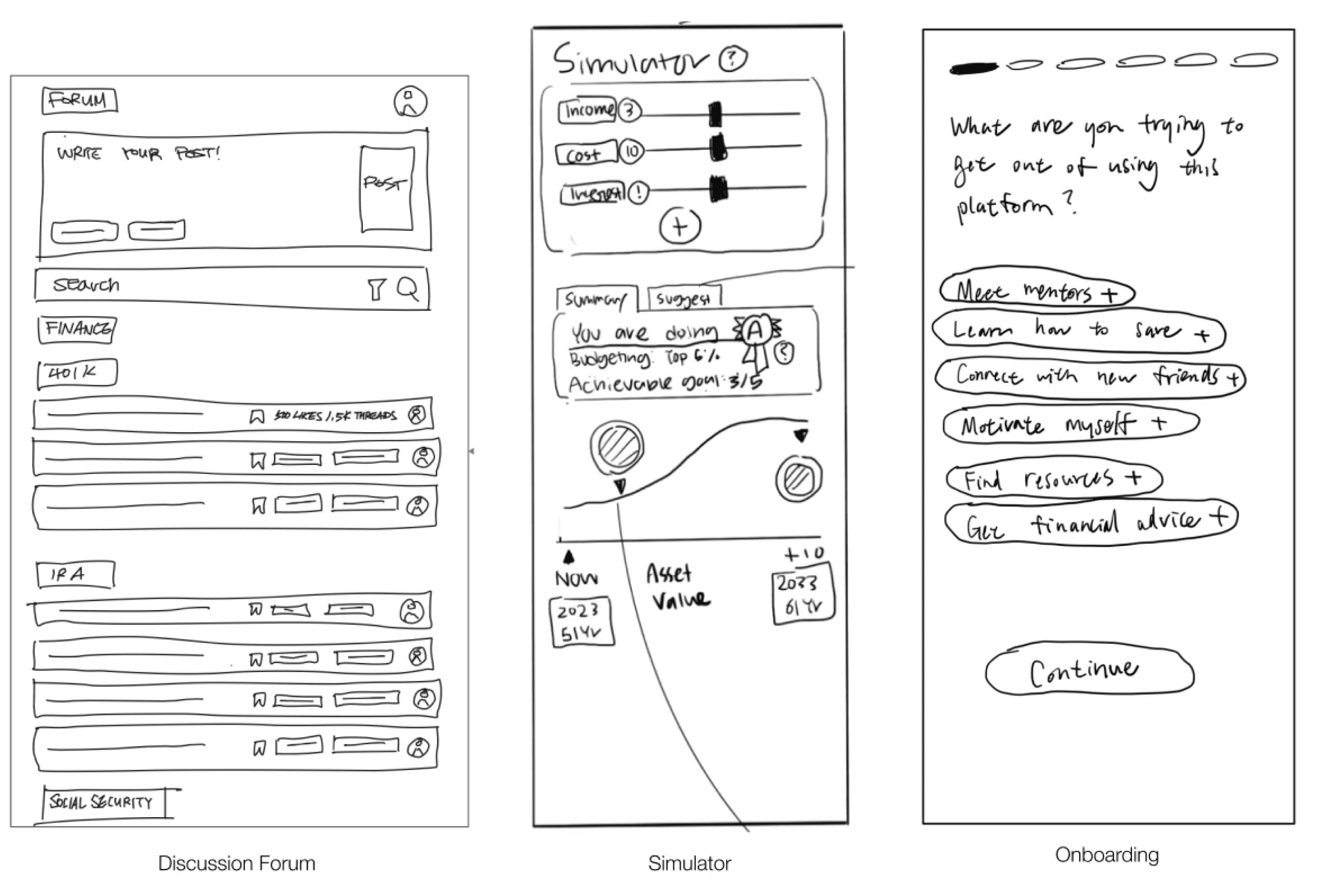
SITE MAP
Structure
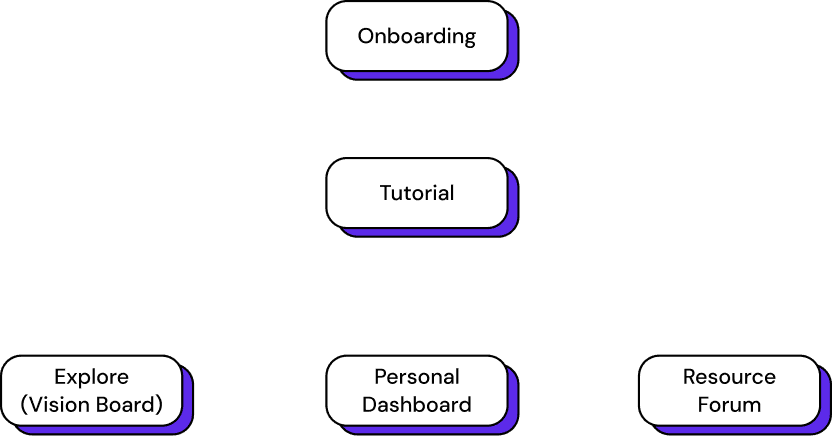
To help us understand how we should connect these features on a single platform, we created a site map to ensure that these features were able to work together in harmony as opposed to competing against each other.
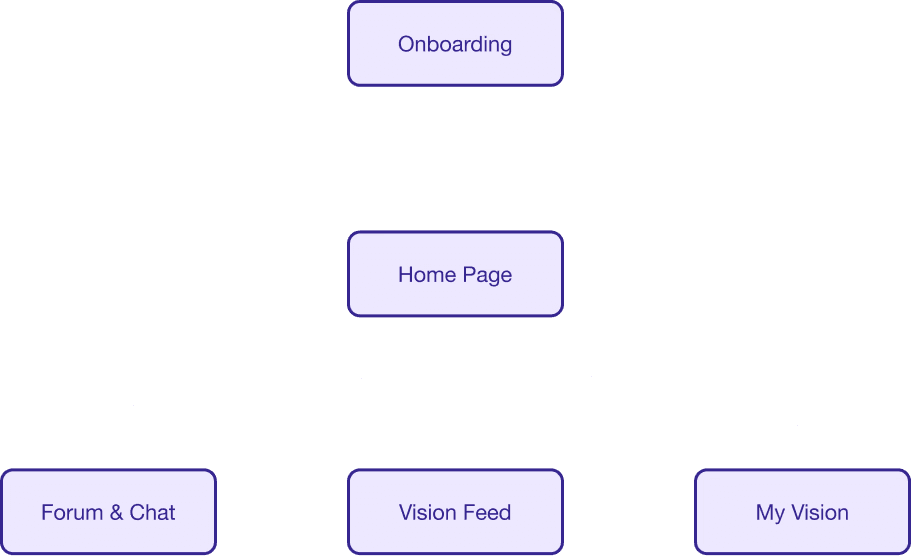
LOW-FIDELITY WIREFRAMES
Initial screens
Based on the established flow, we created low-fidelity screens that visualized the core pages of this platform. We wanted to ensure that users were able to personalize their experience on a platform that provided them a sense of support and community.
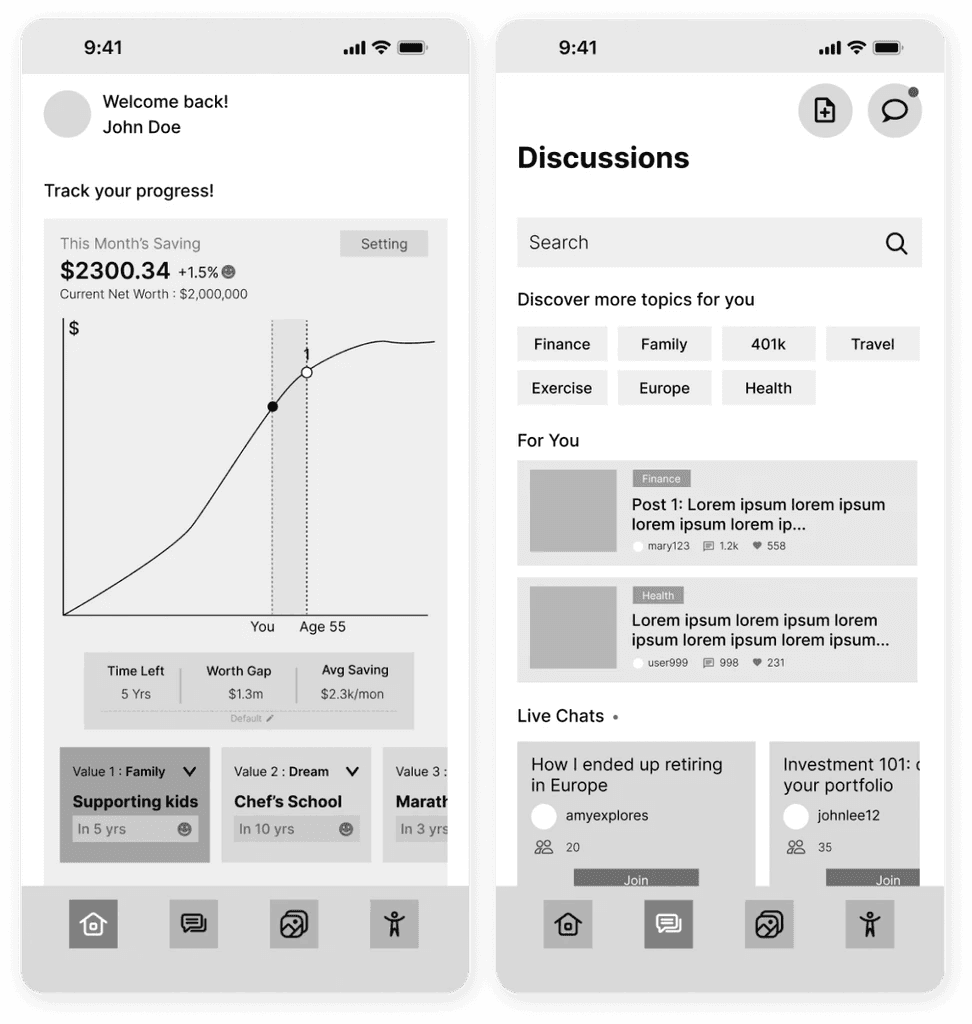
feature 01
Home page
Provide a dashboard-like summary of the user’s information
Create and modify retirement goals
feature 02
Discussions
Identify relevant topics to explore
Visit forums for relevant/interesting discussions
Chat with other users to get more inspiration/advice.
feature 03
Vision feed
Inspiration board, where users can view and post visions
Discuss visions with other users in the comments section
feature 04
User profile
Further personalize user profile
Overview of personal vision board and goals
See recent activity
DESIGN PIVOT
A social app does not accurately address our users' needs.
While socializing and envisioning are important, shifting the mindset people have towards retirement planning and making it less intimidating was the most crucial first step. We believed that pivoting to creating a website platform would more effectively help inspire users to plan and work towards their ideal retirement,
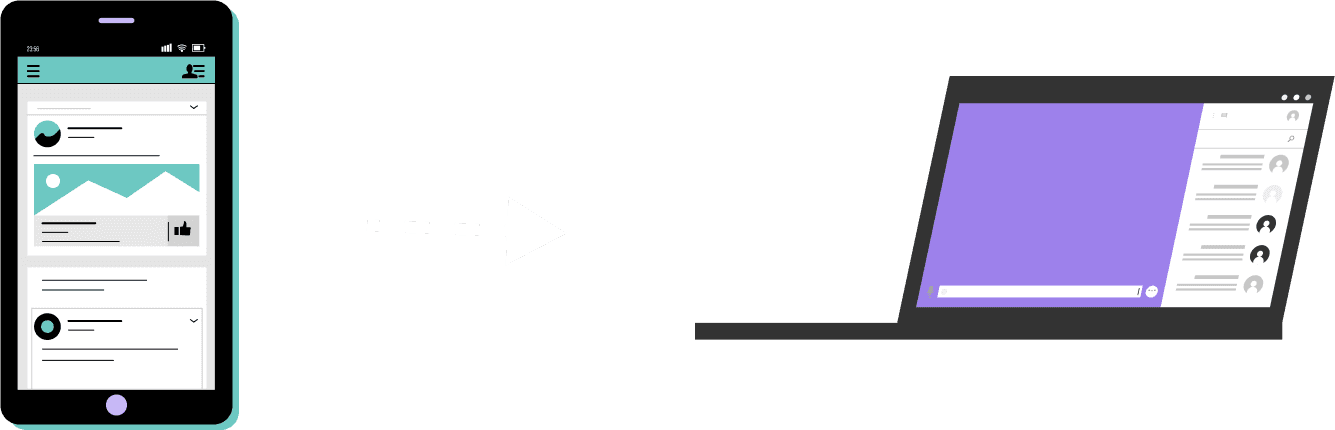
WHAT'S CHANGED?
New design direction
Realistically, our users would not need to be actively planning for retirement on a daily basis, but only once in a while to see if they are on track. Recognizing that a mobile app suggested an unnecessary need for frequent engagement, we translated the features that would have been on this mobile app to be hosted within a website.
PROTOTYPING
Revised experience
We revised the site map, breaking down the post-onboarding experience into 3 main features:
Explore (vision board)
Personal dashboard
Resource forum
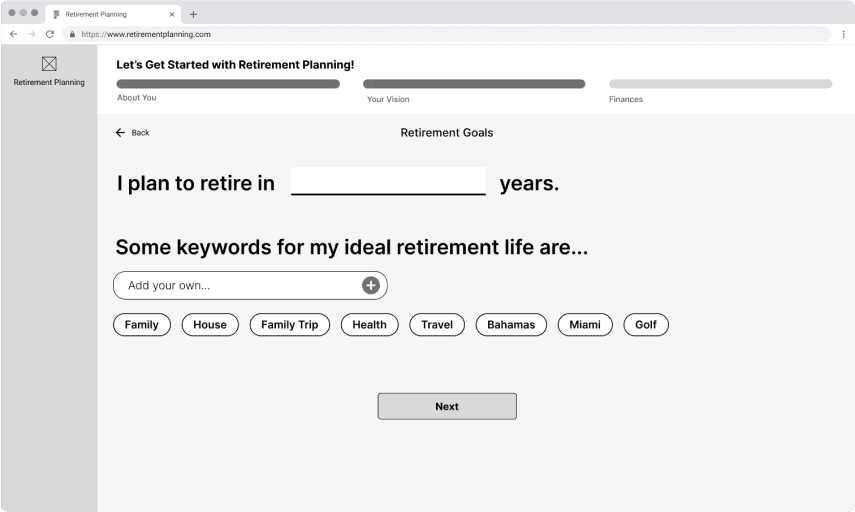
[01]
Onboarding process
Personalizes the platform's resources for the user
Prompts user to describe their ideal retirement with keywords
Prompts user to enter and track current financial data
onboarding
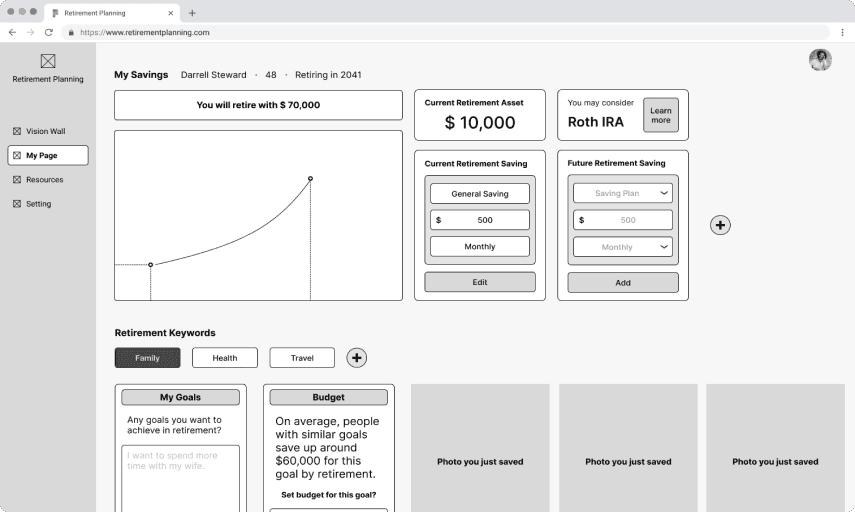
[02]
Personal dashboard
Tracks the user's overall progress in retirement planning
Overview of their savings and investment amounts
Allows users to enter and track financial data
dashboard
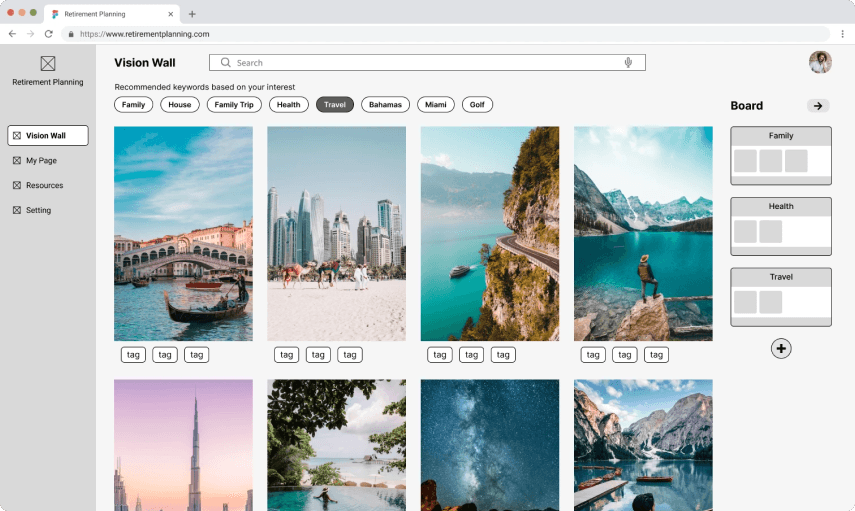
[03]
Vision wall
Offers photo inspirations tailored to users' retirement keywords
Users can save photos that they like into their own vision board
VISION WALL
[04]
Resources forum
Allows users to connect with relevant resources on planning
See discussion posts by topic or look up educational resources
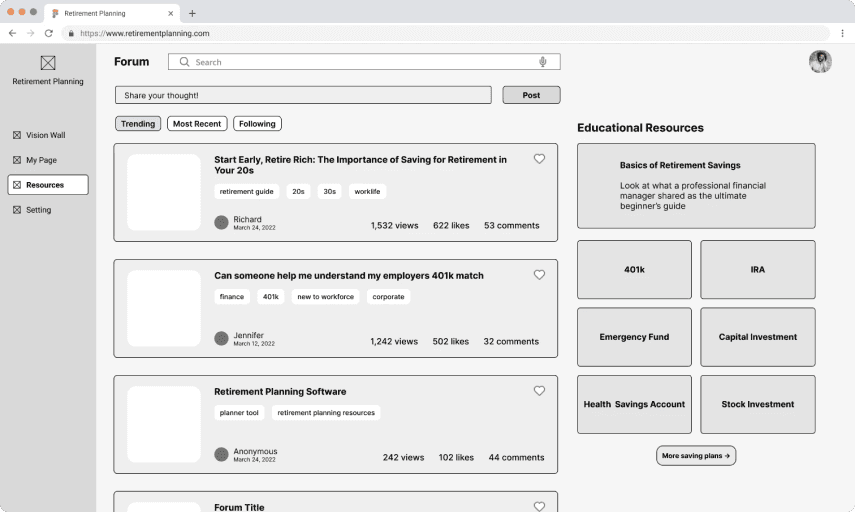
FORUM
USER TESTING
Users want to feel reassured.
From this round of user-testing, we learned that our experience tried to cover too much information too quickly. Our participants echoed a preference towards a platform that will provide more emotional support and guidance.
INSIGHT
Users showed a heavy interest in having the onboarding process focus more on the emotional aspect as opposed to the financial aspect.
OPPORTUNITY
Reduce the number of steps in the onboarding to simplify the experience for new users; prioritize emotional prompts during the onboarding process.
INSIGHT
Users were confused by the process of saving photos to a vision board: they highlighted that the connection between the photos and the vision board was weak.
OPPORTUNITY
Emphasize the connection of visions and their associated goals; provide users a tutorial of how they should save photos to construct their vision boards.
INSIGHT
Our users wanted the platform to have less emphasis on numbers: it'd be nicer to have stats be separated from the visioning process for a less restrictive experience.
OPPORTUNITY
Create a tutorial to provide more guidance and reassurance for users. Provide more guidance on what next steps will help them work towards their goals.
DESIGN CHANGES
Refined experienced
We incorporated the following changes as we worked towards designing our high-fidelity prototype:
Provide a tutorial feature to introduce the platform to users
Reduce the number of steps in the onboarding to make it less overwhelming for the users
Less emphasis on numbers on the vision feed
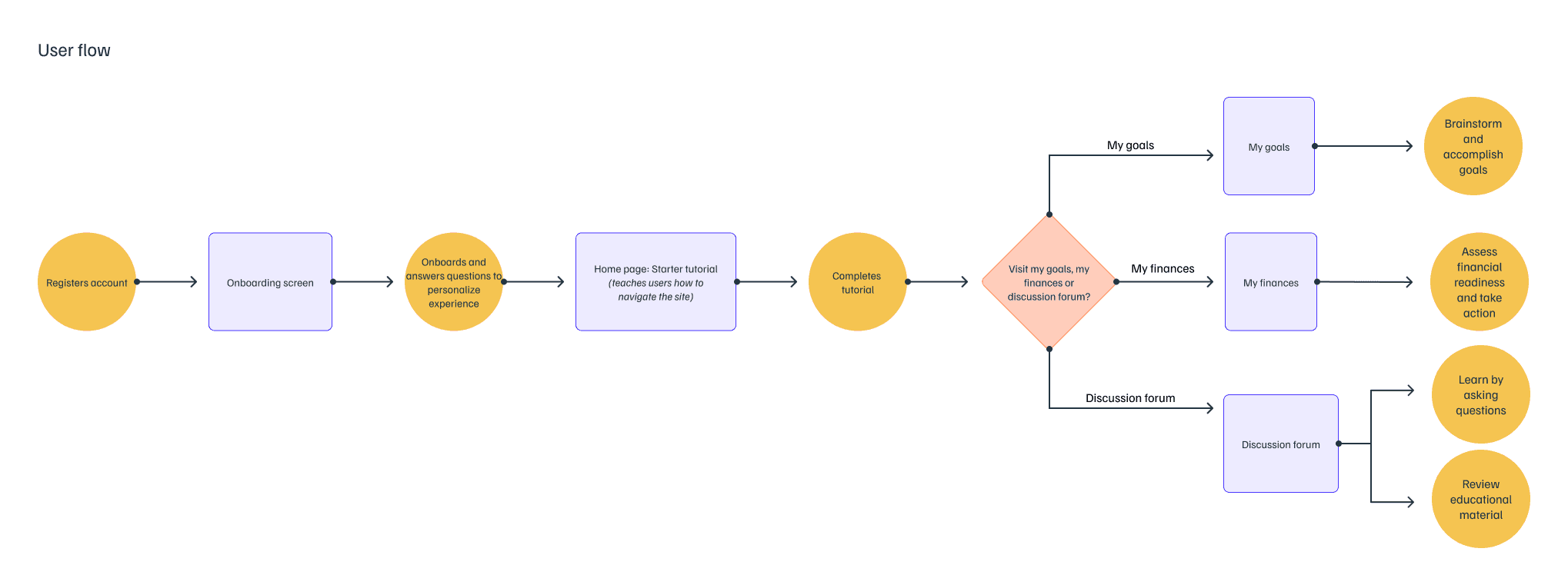
Revised user flow
VISUAL IDENTITY
Design system
The design leads crafted the visual style guide for the next stage. The site's voice and tone was to be friendly, contemporary, and trustworthy: the site’s mascot, Retty the Piggy Bank, was an avatar that represents the platform and emotionally engages the user. Re:magine employs a simple color scheme with complementary colors: a clean backdrop to emphasize the colorful vision board photos, using complementary colors to indicate whether the user is on track vs. in need of further planning.
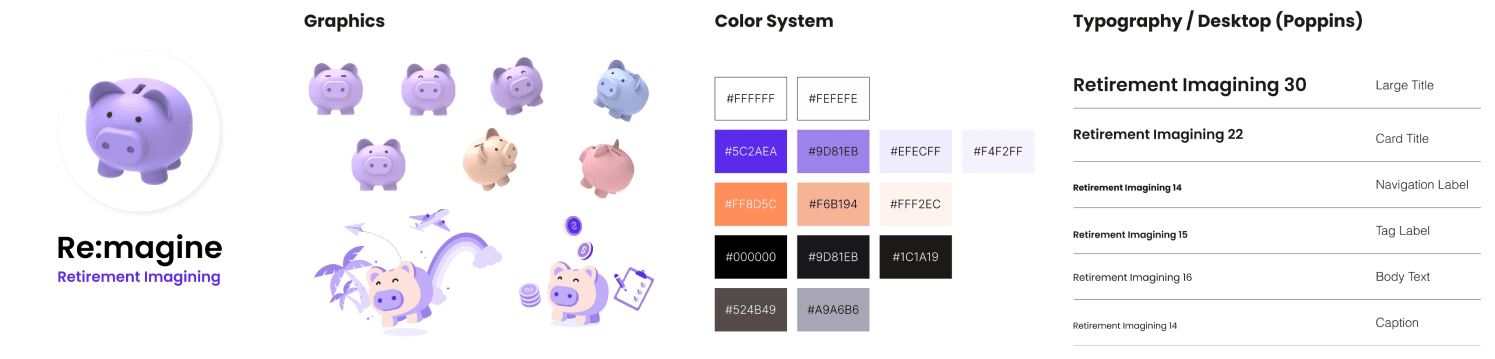
style guide
UI EXPLORATION
Design iteratively and efficiently
We also created site components based on our established design system before diving deep into prototyping so our team can design with consistency and flexibility.
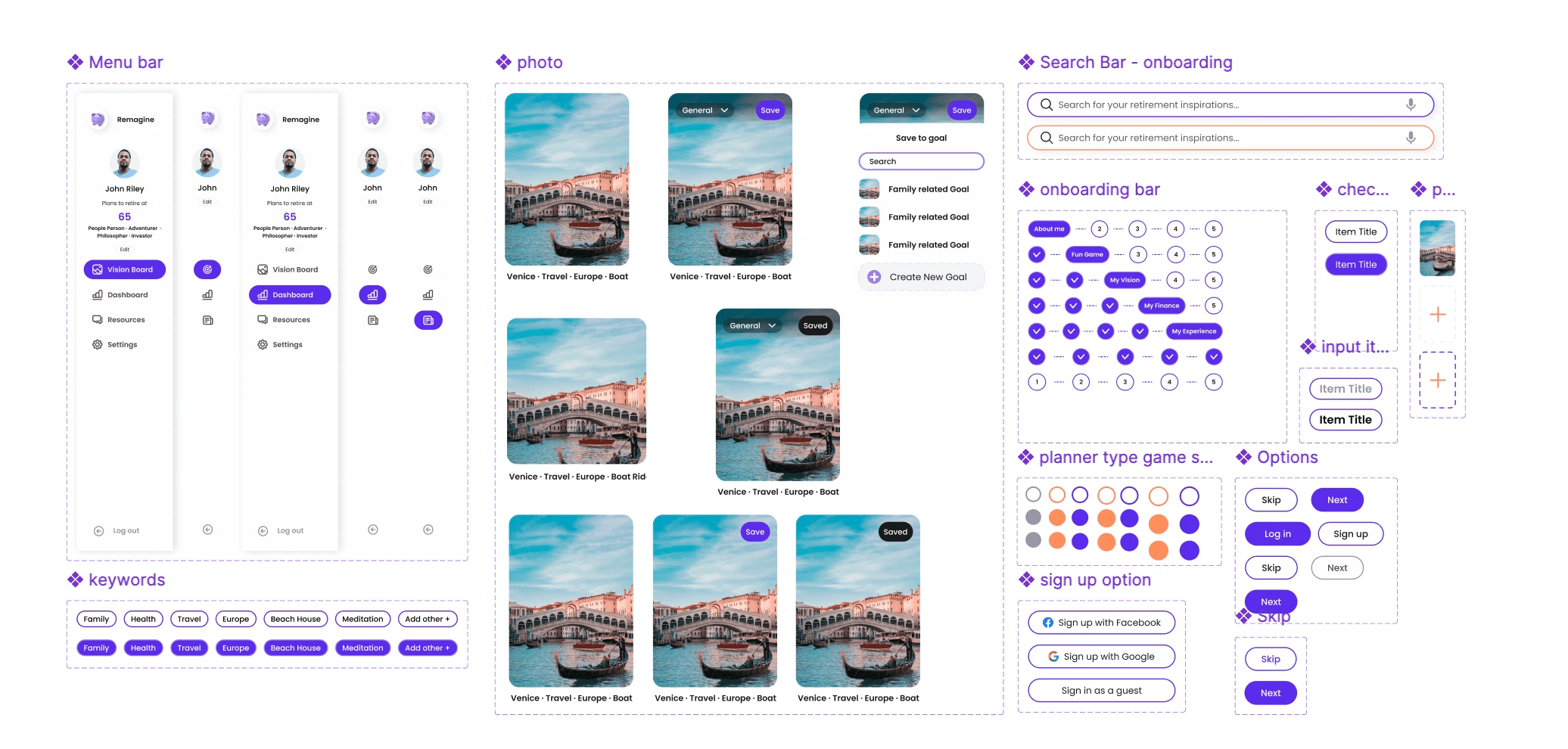
components
FINAL PROTOTYPE
Retirement planning made more personal, less intimidating.
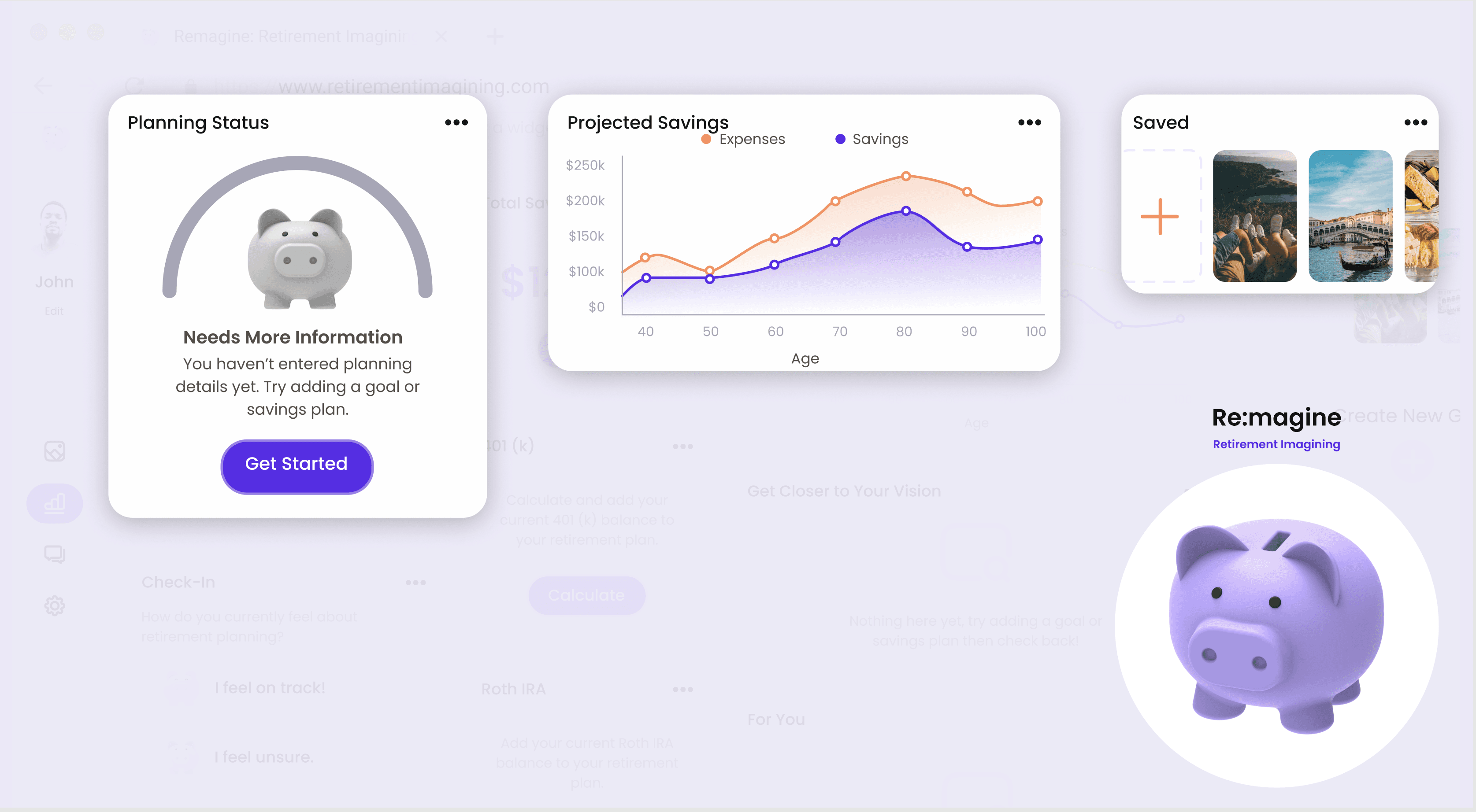
Re:magine is an online platform that invites users to envision and sculpt their own definition of a successful retirement as well as track their progress in achieving their goals.
Onboarding
Guided personalization
1. Onboarding survey and brainstorm activities 2. First-time user tutorial and easy-to-understand UI
Vision building
Assisted vision building
1. Create vision boards and retirement goals 2. Customize the tool to their personal preferences 3. Get the most accurate status update by adding more details
Progress tracking
Monitor Personal Growth
1. Assess retirement-readiness based on pre-existing retirement savings (e.g. Roth IRA, 401(k)) 2. Gauge how far they are from achieving these goals 3. Explore recommended resources
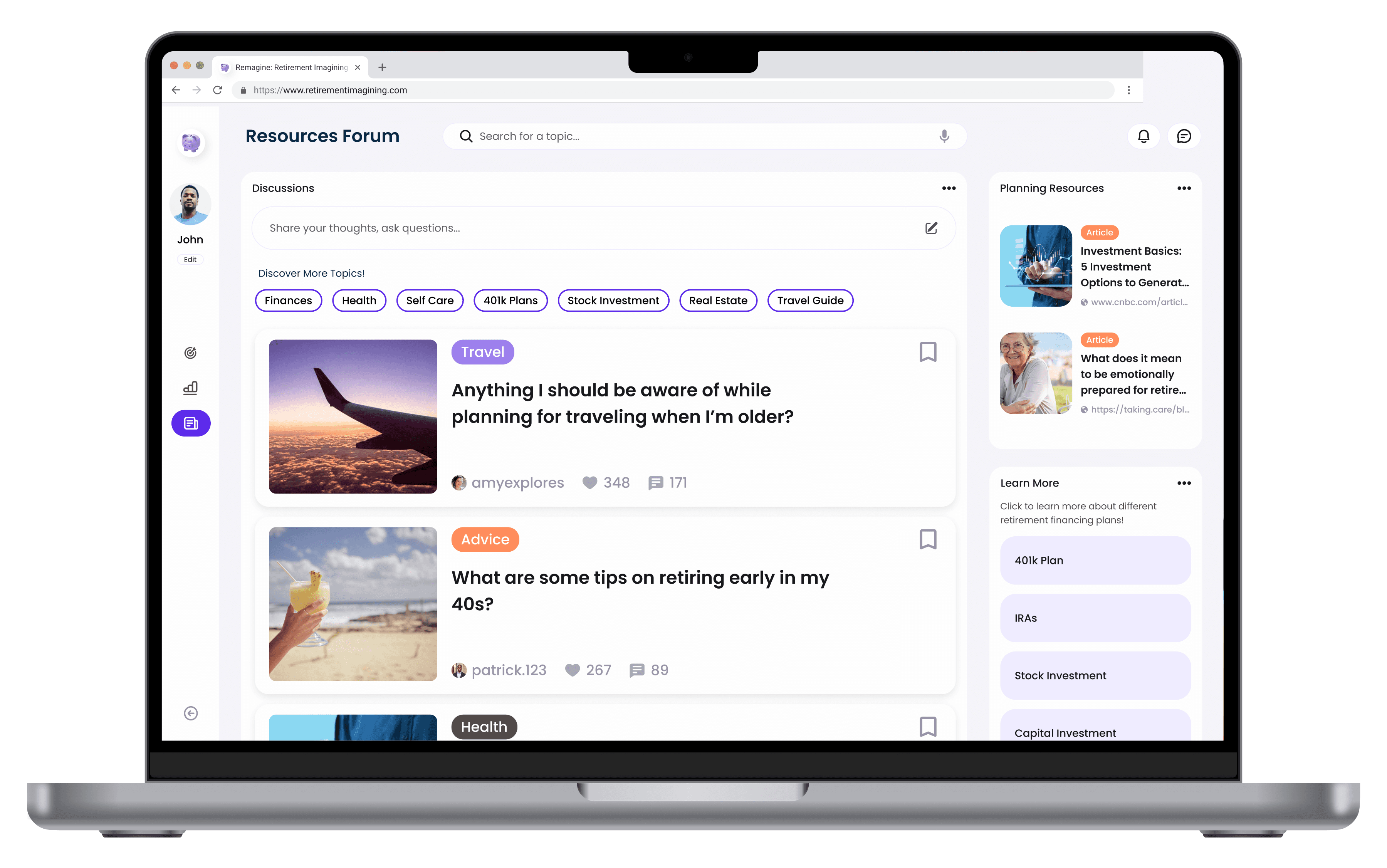
RESOURCES FORUM
Education through discussion
1. Find answers to questions from more-experienced users 2. Discover new strategies through casual conversations
FINAL USER TESTING
User validation
From our last round of user testing, we were able to get user validation on our approach: users felts a sense of balance between financial and emotional factors while feeling that the tool was personalized to a relevant degree: they were able to craft solutions relevant to their personal situations (i.e. adequately accounting for their needs).
[01]
Context is important.
While users want the autonomy to tailor their experience, users also need enough context to understand how to maximize the tool’s potential for themselves
[02]
Introduce less friction.
This tool tapped into the intrinsic motivators of our users, influencing their motivation towards realizing their retirement plans.
Future state
Expectancy-Value Theory
Our solution also has components that correlate to the expectancy-value theory, which demonstrates the nature this tool has in changing users’ behavior.
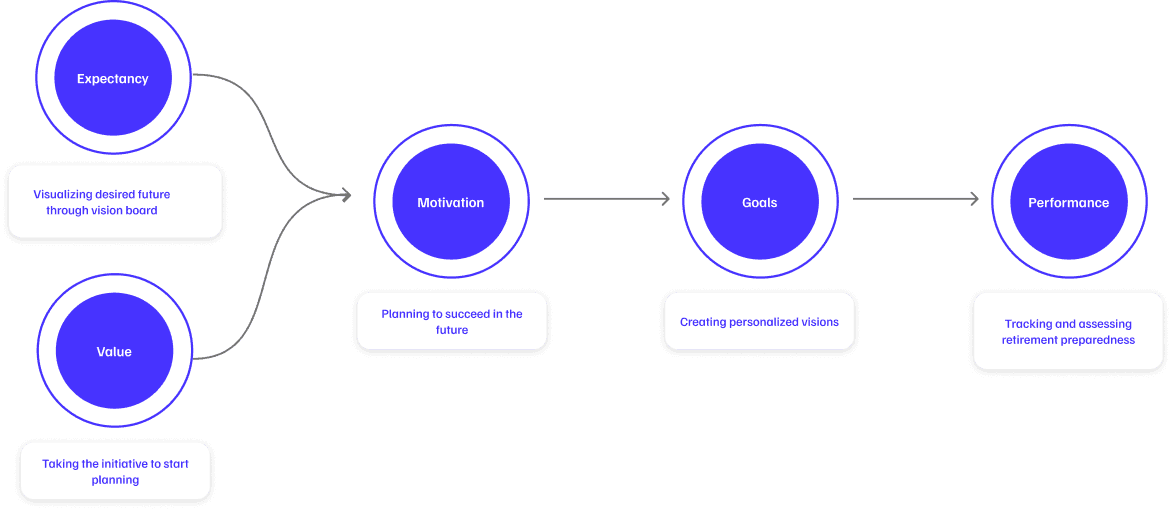
Expectancy-Value Theory applied to retirement planning